Responsible AI
Human oversight in AI: a practical intake example
FNS INC ·
Human oversight in AI means giving people the information, time, and authority to check an AI system’s work and decide what happens next. In an intake workflow, that can mean comparing a draft summary with the original request, correcting a mistake, and approving a follow-up before it is sent.
For a nonprofit or small business, these details matter to the person waiting for help and the staff member trying to reach them. Here’s a fictional example you can use to evaluate a workflow with your team.
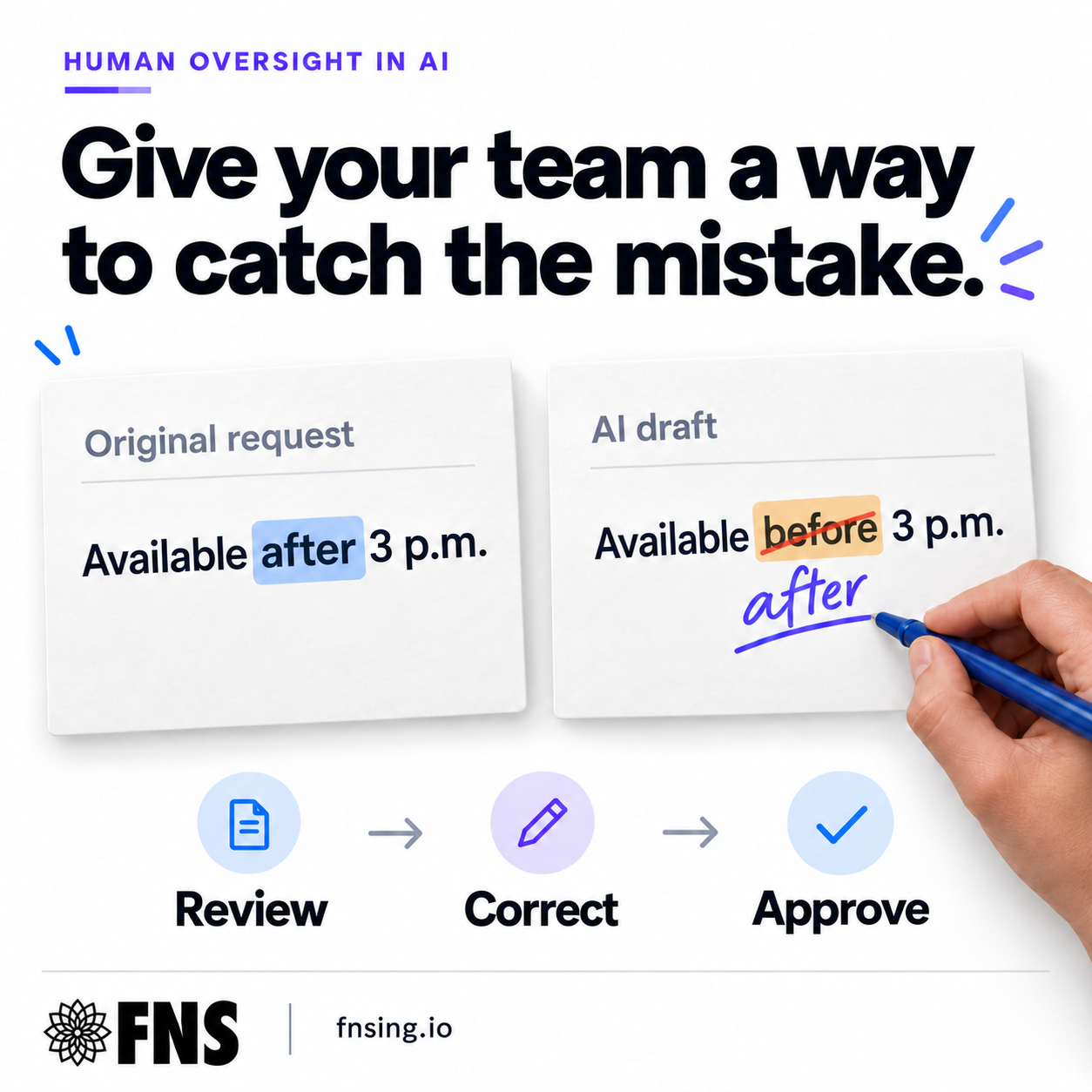
One word changes the follow-up
Imagine someone fills out an intake form and writes, “I’m available after 3 p.m.” The AI-generated summary says, “Available before 3 p.m.”
If a staff member only sees the summary, they could call at the wrong time. If a scheduling tool acts on it automatically, the same error could reach the calendar before anyone notices. For someone trying to connect with a community program, that could mean another missed call.
The review step should show the original request beside the draft. The staff member can change “before” to “after,” check the proposed follow-up, and then approve it. In this example, nothing is sent or scheduled while the item is waiting for review.
What makes human review useful?
A review button is only one part of the process. The person using it needs to know what they are checking, have access to the source, and be able to stop the next action. If the original request is unclear, they also need a way to ask for clarification.
Decide who owns the review and what happens when that person is unavailable. A queue that depends on one busy employee needs a backup plan. For this intake example, pending work should stay pending until an authorized person reviews it, with overdue items brought to the team’s attention.
This is a practical use of human-in-the-loop AI: the system helps prepare the work, and a person checks it at a defined point before the next action.
A checklist for your next AI workflow demo
Use fictional information to walk through a mistake like this before introducing a workflow to your team. Ask the person demonstrating it to show each step.
- Source: Can the reviewer see the original request and the AI draft together?
- Correction: Can they edit the mistake and inspect the updated follow-up?
- Control: Does sending or scheduling wait for the required approval?
- Ownership: Is someone responsible for the queue, with coverage when they are away?
- Uncertainty: Can staff pause the work and ask for clarification?
- Record: Can the team check who approved the action and what was approved, with access and retention appropriate to the information?
Check whether it helps on a busy day
Test more than the clean example. Try a missing availability time, conflicting notes, and a request that needs a conversation. Check that a corrected draft is the version used for the follow-up and that an item cannot skip the required review.
Watch how long review takes and where staff have to hunt for information. Track corrections and missed errors, as well as time saved. Those observations can help you improve the workflow and decide which tasks are suitable for automation.
Human review can still miss mistakes. Choose review points according to the consequences of an error, and keep checking how the process works after launch. The goal is useful support that your team can understand and manage.
How FNS approaches the work
FNS helps nonprofits and small businesses put AI to work through practical workflow automation and hands-on training. We start with the work your team needs to do, test realistic scenarios, and make the review responsibilities clear.
If you’re considering AI for intake or customer follow-up, start by showing your team this example. Ask them to walk through how they would find the mistake, correct it, and decide what happens next.